
Guest Service Essentials (GSE) transforms how your team captures, dispatches, claims, and resolves guest requests — across departments, devices, and languages — all from a single, cloud-connected platform.
GSE is the service coordination hub within the CAS-ia platform. Staff access it instantly from any phone — no app download required — and tickets route directly to the right department queue, where any qualified team member can claim and resolve them. Management gets complete visibility into ticket flow, department workloads, and resolution times.
True department dispatch. Tickets land in the department queue, not a personal inbox — anyone qualified can claim and complete them.
No dedicated hardware needed. Staff log in via QR-code scan from their personal or shared device — one scan per day.
Room-specific guest QR codes. Front desk generates per-stay codes that auto-expire at checkout — no shared codes, no abuse.
Works anywhere. Fully browser-based — iOS, Android, desktop, or shared kiosk — for both staff and guests.
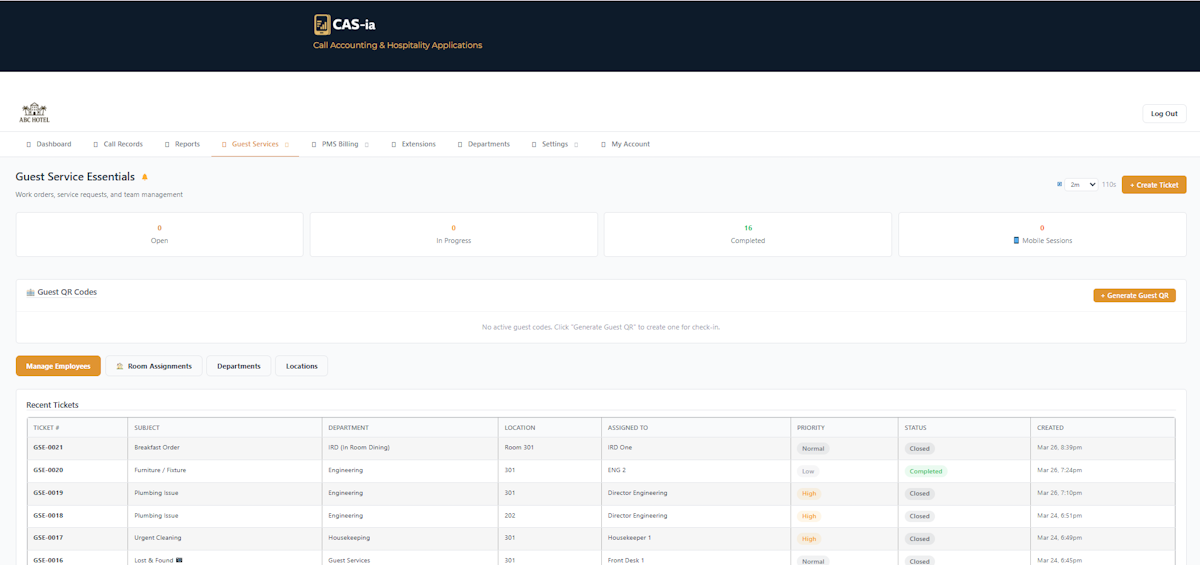
GSE is purpose-built for the pace of hospitality operations — lean, intuitive, and designed to reduce friction at every step.
Print or display a department QR code anywhere in your property. Staff scan to instantly authenticate and access their personalized task view — one scan per day, no usernames, no forgotten passwords.
Tickets route to the entire department queue — not a personal inbox. Any qualified team member can see and claim unassigned work, ensuring nothing falls through the cracks during busy shifts or staff turnover.
Staff see three groups — Unassigned, My Active, and Others. Tap to claim, work the ticket, then mark complete with optional notes. The submitter is automatically notified when their request is accepted.
Model your property exactly as it operates. Define multiple Locations (properties, buildings, wings) and unlimited Departments (Housekeeping, Maintenance, Front Desk, F&B, and more).
A responsive, app-like experience served directly from the browser. Staff submit tickets, claim from the queue, attach photos, and update status on the go — no IT provisioning, no app store required.
GSE Managers see employees, tickets, and QR codes only for their assigned department. Reduces noise, increases accountability, and protects sensitive cross-department data.
The entire staff and guest-facing interface is available in 11 languages — automatically applied based on user preference. Serve your full workforce and your global guests in their own language.
Front desk generates a unique QR code per room at check-in — tied to the room, expiring at checkout, with a configurable max-ticket count. Revocable instantly on early checkout. No shared codes, no abuse.
Configure WiFi credentials once in the dashboard, and guests get an instant scannable WiFi QR code plus a Copy Password button on the guest portal. Party members connect in seconds — no front desk call required.
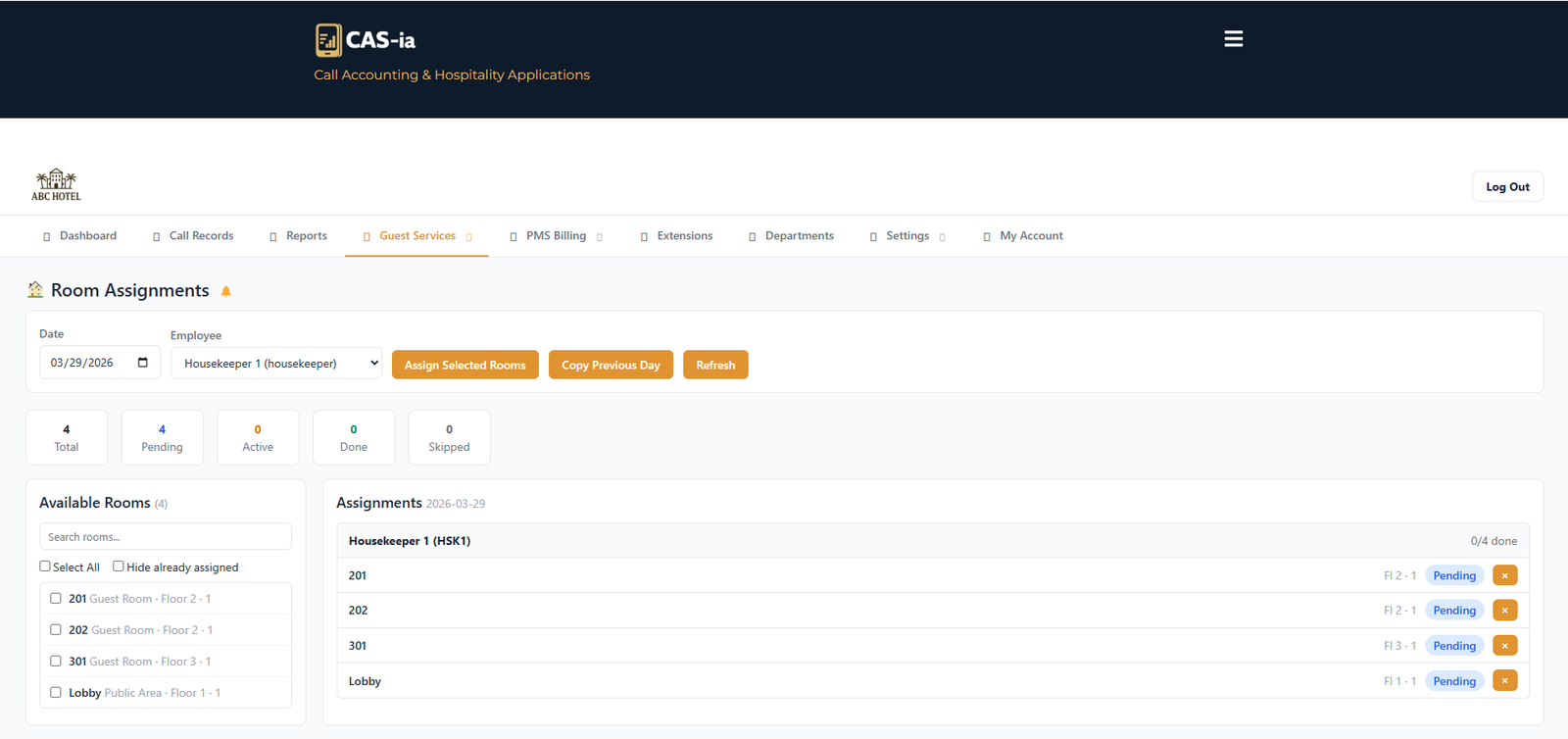
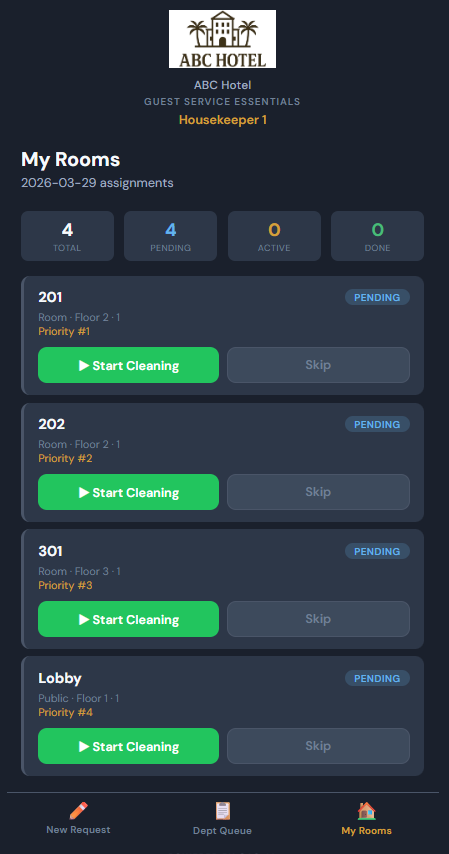
Assign rooms or room blocks to housekeeping staff with real-time status tracking. Supervisors see live completion boards; staff update room status with a single tap from their phone.
Front-of-house staff mark rooms that are checking out for the day — the head housekeeper sees the live checkout list and assigns rooms for cleaning. Eliminates morning radio calls and printed sheets.
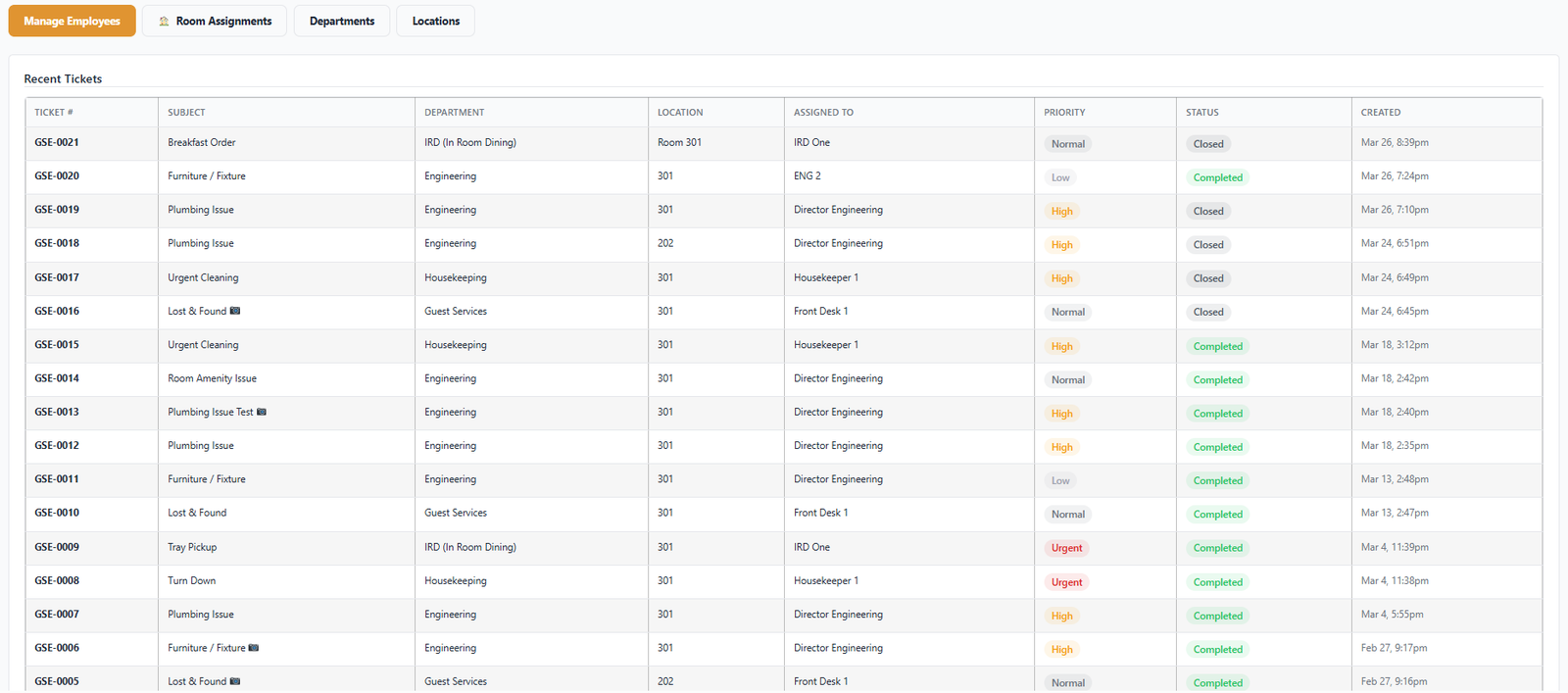
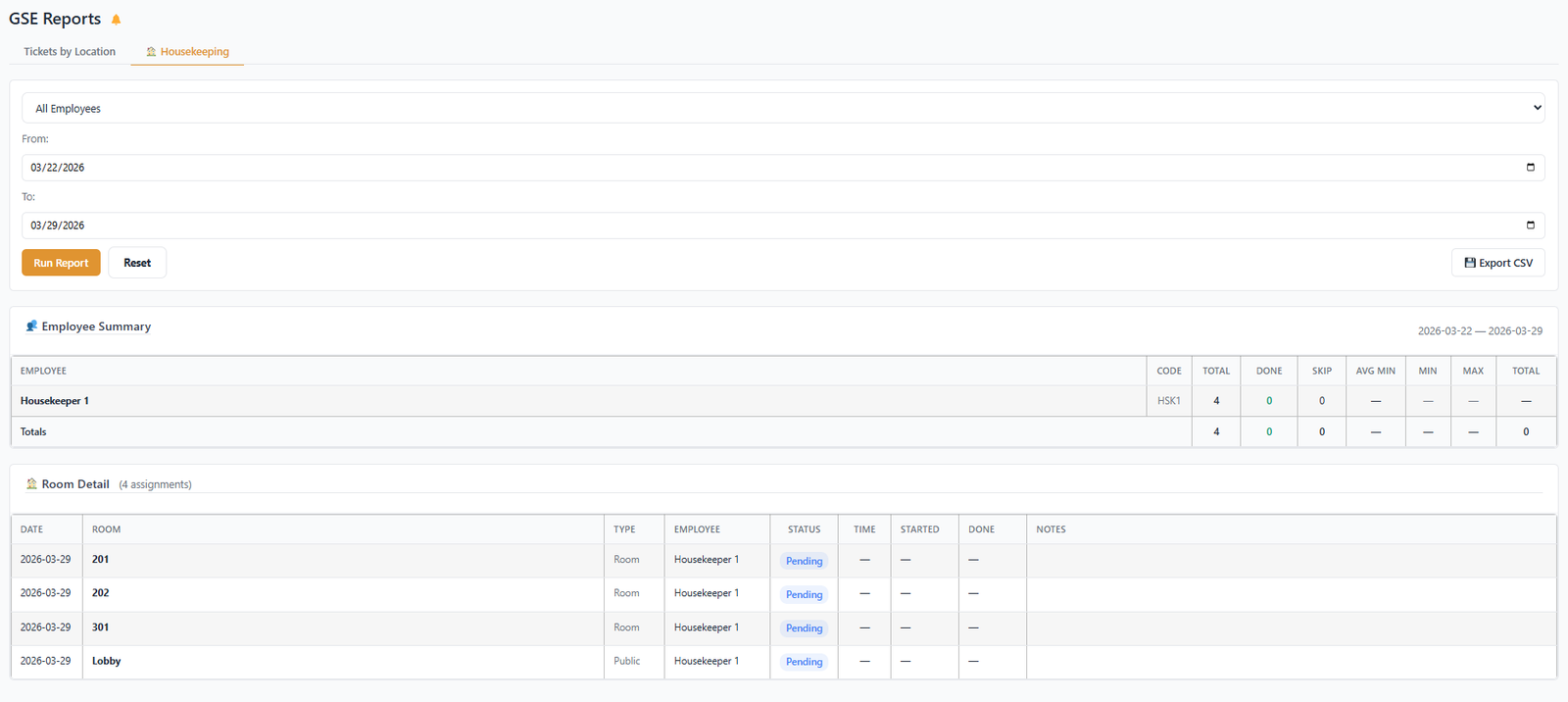
Ticket volume, resolution times, department performance, housekeeping completion rates, room-level history, and staff activity logs — all filterable by date, location, and department.
No more lost tickets, no more "who's handling it?" — every request flows through a clear, accountable path with full visibility for management.
Your team doesn't need a company phone or a downloaded app. The GSE employee app is a full-featured, responsive web application that functions like a native app — instant load, touch-optimized, and role-aware from the moment of QR scan.
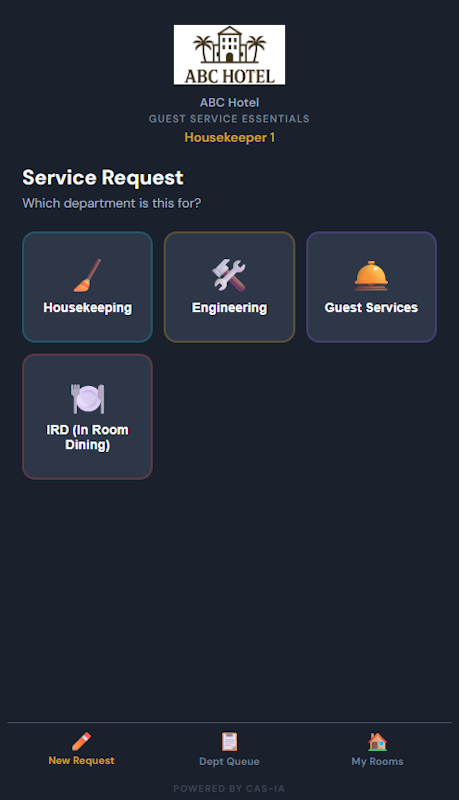
GSE supports two distinct QR systems. Department QR codes are persistent, post-them-anywhere staff login codes. Guest QR codes are generated per-stay at the front desk — tied to a specific room, time-limited, and revocable. Both come from the same admin portal in seconds.
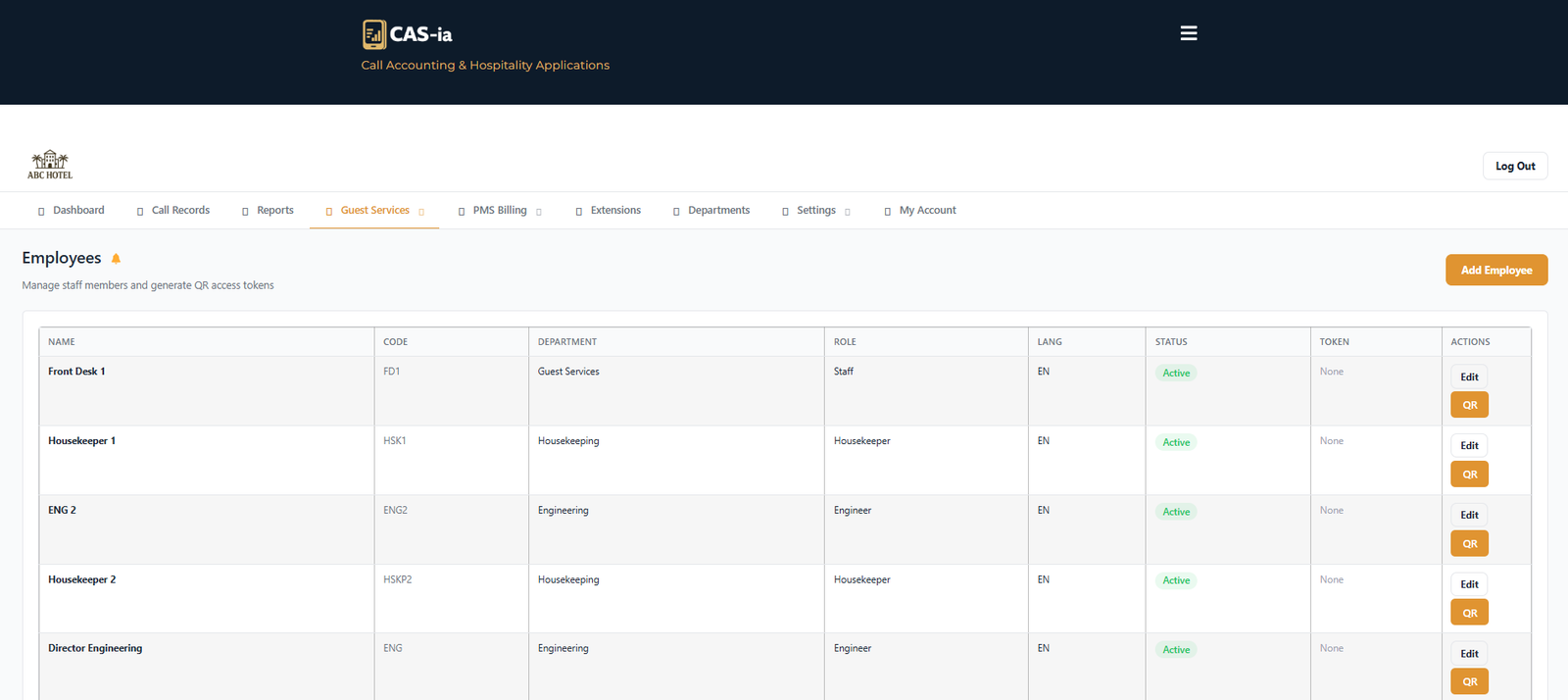
GSE replaces the old "personal inbox" model with a true departmental dispatch queue. Every service event — whether submitted by staff or by a guest QR scan — lands in the right department's queue, where any qualified team member can claim and resolve it. Managers have real-time visibility into open workloads across every department.
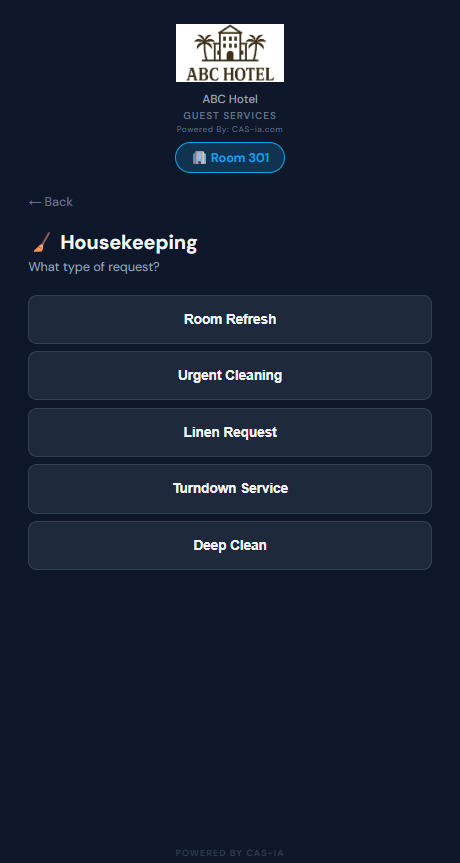
GSE includes a dedicated guest-facing portal that lets hotel guests submit service requests and connect to WiFi directly from their room — no app download, no login, no waiting on hold. Each guest QR is unique to the room and expires at checkout, so codes can't be shared, abused, or used after the stay ends.
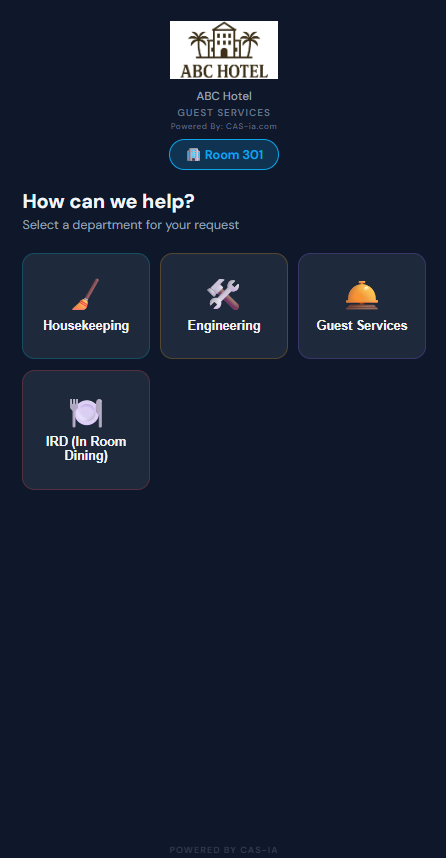
GSE's Housekeeping module gives supervisors the tools to manage the entire room turnover cycle — from morning checkout list to final inspection — across the entire property. Front-of-house marks the day's checkouts; head housekeepers assign rooms; staff update status with a single tap; supervisors see everything live without ever picking up a radio.
GSE ships with full UI translation across 11 languages — covering all menus, buttons, status messages, toast notifications, and both staff and guest-facing views. No add-ons, no configuration required.
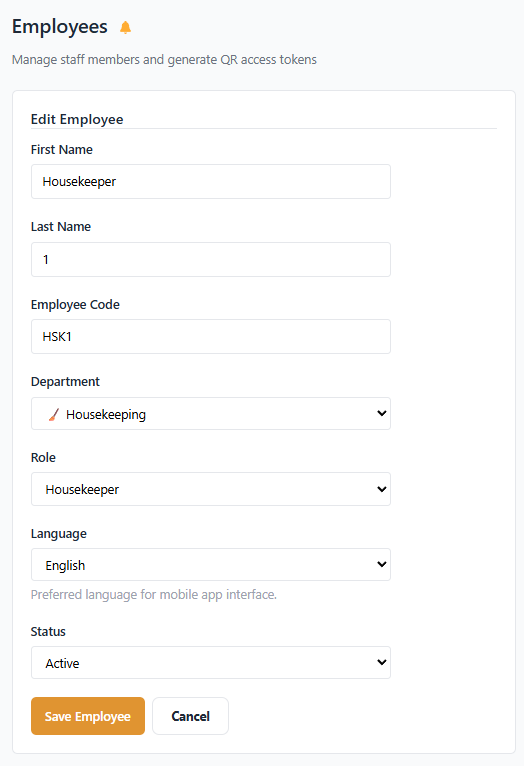
GSE includes three distinct user roles — each scoped to exactly what that person needs to do their job. No over-permission, no frustrating under-access.
Role assignments are independent from other CAS-ia modules, so a user can be a GSE Manager while having a different role (or no role) in the Call Accounting or ACD modules. Permissions are additive across the platform — never conflicting.
GSE is designed to be operational within hours of onboarding — not days. Here's how the platform flows from initial configuration to real-world ticket resolution.
Set up Locations, Departments, and rooms. Add employees, configure service categories, and set WiFi credentials for the guest portal.
Create staff QR codes per department and per-room guest QR codes at check-in. Print and post — no special hardware required.
Staff and guests submit tickets that land in the right department queue. Notifications fire to every team member in that department.
Any team member claims unassigned work, completes it with notes, and the submitter is notified. Reports update live across the platform.
Schedule a live walkthrough with your CAS-ia representative to see how Guest Service Essentials can be configured for your property today.
